A 4K Projector Turns Any Wall into a Night at the Movies
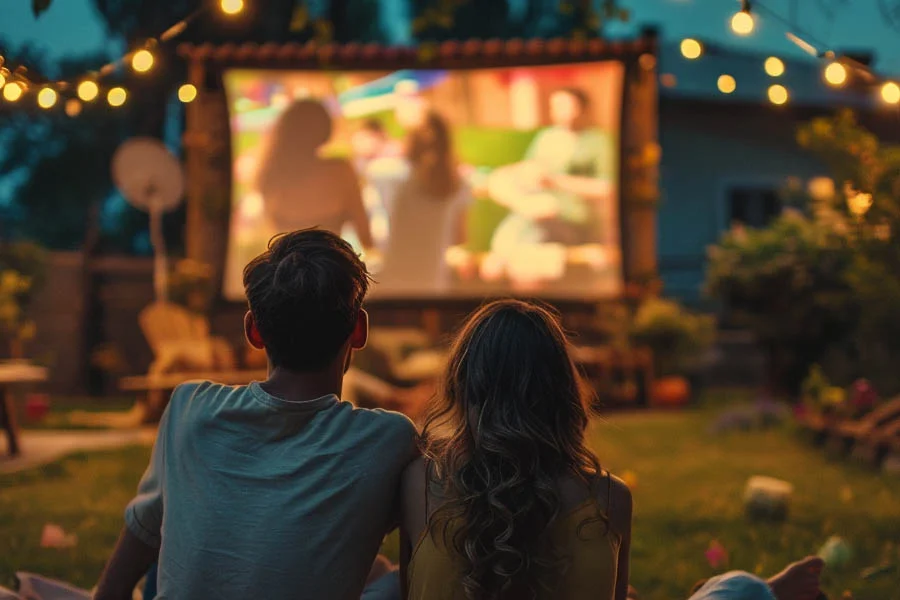
Big-screen movie nights once required a trip to the theater or a television that dominated the wall. Today, a 4K projector can turn an ordinary wall into a cinema-sized canvas in minutes. Images stretch to sizes that televisions rarely reach at a comparable price. Fine textures, sharp text, and crisp landscapes remain clear even on very large screens. Families gather for films, friends crowd in for sports, and gamers enjoy immersive worlds. The experience feels special because the image fills your field of vision. This article explains what the technology really delivers and how to get the best results. You will learn about resolution labels, setup, room lighting, and streaming. Practical buying advice wraps up the discussion for first-time owners. Movie night at home may never feel ordinary again.
What a 4K Projector Really Delivers
Resolution measures how many pixels form the image you see on screen. A 4K projector targets roughly 3840 by 2160 pixels, four times the detail of 1080p. That density keeps images sharp as screen size grows beyond 100 inches. Labels such as 4K UHD describe this consumer standard on most packaging. Detail matters most for nature documentaries, sports, and modern video games. Text in menus and subtitles also looks cleaner and easier to read. Colors and contrast depend on other components, including the light source and lens. Brightness, measured in lumens, determines how well images hold up in ambient light. Resolution, in other words, is only one part of picture quality. Understanding the full picture helps you set realistic expectations.
Native Resolution and Marketing Labels
Projector packaging can be confusing, even for experienced shoppers. Some models display true 4K pixels, while others use pixel-shifting technology to approach that detail. Pixel shifting moves each pixel rapidly to create a sharper perceived image. Many budget units are native 1080p projectors that simply accept 4K signals. Accepting a signal differs from displaying every pixel of it on screen. Read specifications carefully, looking for native resolution rather than supported input. Reviews and sample images can help clarify real-world sharpness. Viewing distance also affects how much extra detail your eyes can notice. Larger screens and closer seating reveal the differences most clearly. Knowing these distinctions prevents disappointment after the box is opened.
Setting Up a 4K Projector for Sharp Images
Placement determines image size, sharpness, and geometry. Measure the distance from the projector to the screen or wall before mounting. Throw ratio specifications tell you how large the image will be at that distance. Position your 4K projector level and centered with the screen whenever possible. Many models include auto focus to sharpen the picture without manual adjustments. Ceiling mounts free up floor space and keep the beam above heads. Shelf placement works well in rooms where drilling is impractical. Use high-speed HDMI cables to carry 4K signals reliably. Fine-tune color and brightness settings once the image is properly positioned. Careful setup unlocks the clarity you paid for.
Light Control and Room Prep
Ambient light is the biggest enemy of projected images. Even bright projectors lose contrast when sunlight floods the room. Blackout curtains or blinds make an immediate and dramatic difference. Darker wall colors near the screen reduce reflections that wash out images. Smart bulbs let you dim lights to a comfortable level during films. Avoid placing lamps where they shine directly onto the screen surface. Angled placements may need keystone correction to square the image. Correct alignment physically whenever possible, since digital correction can soften detail. Comfortable seating at the right distance completes the viewing setup. A prepared room makes any projector look its absolute best.
Streaming and Gaming on a 4K Projector
Most viewing today comes from streaming apps and game consoles. Check which inputs your projector offers, including HDMI ports and USB connections. Streaming sticks plug in easily and provide access to popular services. A 4K projector shows streaming content at its best when your internet connection keeps up. Gamers should look at input lag, since slow response affects fast games. Some models offer dedicated game modes that reduce lag noticeably. External soundbars or speakers often deliver richer audio than built-in units. Bluetooth audio can simplify wiring in smaller rooms. Test different picture modes for films, sports, and games. Matching settings to content keeps every session looking great. Readers who want to go further can explore our piece on how the right surface sharpens the picture.
Choosing a 4K Projector for Your Home
The right model depends on your room, budget, and viewing habits. Majesticor offers an Ultra HD 4K beam projector designed for home theater use. It aims to bring sharp, cinematic images to living rooms and dedicated media spaces. Review the product page for brightness, inputs, throw distance, and included accessories before ordering. Measure your room and decide where the screen or wall will be. Consider light control, since even the best image benefits from darkness. Choosing a 4K projector that suits these conditions ensures years of enjoyment. Movie nights, game days, and sports events all gain a new sense of scale. Guests will remember the experience long after the credits roll. Big-screen entertainment has never been easier to bring home. A useful companion read is our article on planning a full theater room.









Leave a comment
You must be logged in to post a comment.