Why Your Projector Screen Matters as Much as the Projector
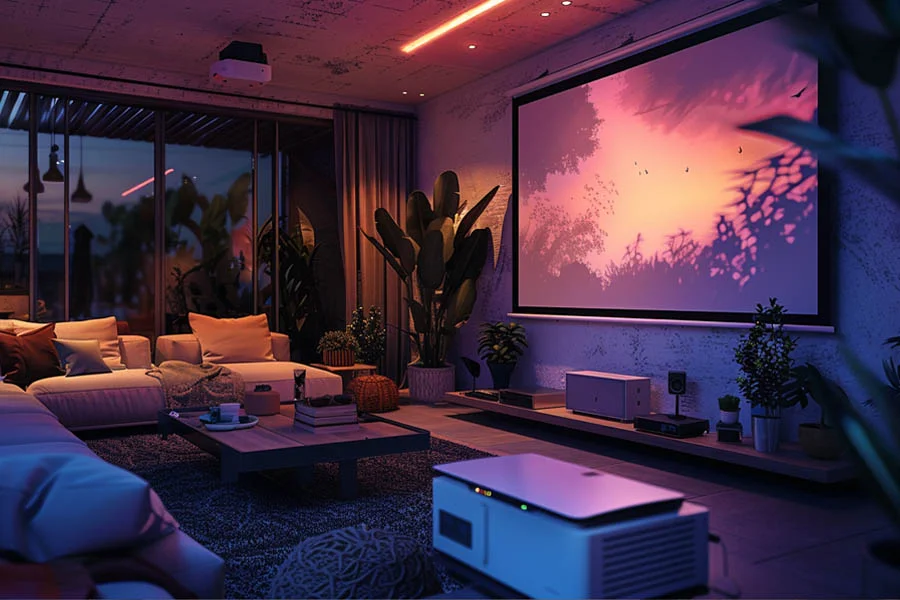
Shoppers often spend weeks comparing projectors and minutes choosing what to project onto. That imbalance leaves many images duller than they should be. A projector screen shapes brightness, contrast, and color as much as the projector itself. Walls, even freshly painted ones, rarely reflect light evenly. Texture, tint, and imperfections all show up when images grow large. A dedicated surface removes those variables and lets the image shine. This article explains how screens work and why they matter so much. You will learn about materials, sizing, formats, and common mistakes. Pairing advice helps you match screen and projector for the best results. The difference often surprises people who assumed any wall would do.
What a Projector Screen Actually Does
Projected images are only as good as the surface that reflects them. A projector screen reflects light uniformly, keeping brightness consistent from edge to edge. Its smooth surface prevents texture from distorting fine details. Black borders frame the image and improve perceived contrast. Specialized coatings can reject ambient light from windows and lamps. Brightness measured in ANSI lumens interacts directly with screen performance. A dimmer projector can look brighter on a well-chosen surface. Color accuracy improves because neutral materials avoid tinting the image. Even affordable screens usually outperform painted drywall noticeably. The upgrade often delivers more improvement per dollar than any other accessory.
Gain, Color, and Material
Screen gain describes how much light a surface reflects compared with a reference standard. A gain of 1.0 reflects light evenly in all directions. Higher gain screens appear brighter but narrow the ideal viewing angle. Gray screens improve black levels in rooms with some ambient light. White screens suit fully darkened rooms and lower-brightness projectors. Ambient light rejecting materials help in living rooms with windows. Short-throw designs, such as an ultra short throw projector, often need special screens. Matte finishes reduce hot spots and glare from overhead lighting. Material quality affects durability, flatness, and resistance to wrinkles. Choosing the right surface depends on both projector and room.
Sizing a Projector Screen for Your Room
Size decisions balance immersion, comfort, and room constraints. Measure the wall width and leave some space on both sides. A projector screen should sit at a height where eyes naturally meet its lower third. Seating distance of roughly one to one and a half times the screen width works for most viewers. Higher resolution content supports closer seating because pixels remain invisible. Throw distance determines whether your projector can fill the chosen size. Check the projector manual for its throw ratio and image size range. Aspect ratio matters too, with 16:9 suiting most streaming and television content. Avoid oversizing, since excessive scale can strain eyes and dim the image. A balanced size feels immersive without overwhelming the room. To see this in practice, read our article on what native resolution means.
Fixed, Pull-Down, or Portable
Screens come in several formats, each suited to different lifestyles. Fixed frame screens offer the flattest surface and the most cinematic look. Pull-down screens retract when not in use, preserving wall space and decor. Motorized versions add convenience with a remote or wall switch. Floor-rising screens tuck into cabinets beneath the image area. Portable tripod screens travel easily between rooms and events. Families planning backyard nights often pair an outdoor projector with an inflatable screen. Consider how often you watch and whether the room serves other purposes. Installation complexity varies, so check mounting requirements before buying. Choosing the right format ensures convenience matches your viewing habits.
Projector Screen Mistakes to Avoid
Several common errors undermine otherwise excellent setups. Mounting the screen too high strains necks during long films. Choosing high gain in a wide seating arrangement leaves side seats dim. Ignoring ambient light leads to washed-out images regardless of screen quality. A projector screen with wrinkles or waves distorts fine details noticeably. Skipping black borders reduces perceived contrast and focus. Placing lamps behind or beside the screen causes reflections and glare. Some buyers pair a premium laser projector with a poor surface, wasting its potential. Measure carefully before ordering, since returns can be inconvenient. Clean the surface gently with manufacturer-approved methods only. Avoiding these mistakes protects both image quality and investment.
Pairing a Projector Screen with the Right Projector
Screens and projectors perform best as a matched pair. Majesticor offers an Ultra HD 4K beam projector designed for home theater viewing. Its high-resolution output benefits greatly from a smooth, neutral viewing surface. Review the product page for brightness, throw distance, and supported image sizes. Use those numbers to choose an appropriate screen size and gain. Consider your room lighting before deciding between white and gray materials. Pairing a projector screen with this kind of 4K source reveals details walls simply hide. Text looks crisper, colors appear richer, and dark scenes gain depth. Every film benefits from the improvement, night after night. Investing in both halves of the system delivers the experience you imagined. If this topic interests you, our article on preparing the room before you hang anything is a natural next step.









Leave a comment
You must be logged in to post a comment.