Cinema from the Clouds: What Sets a Great 4K Drone Apart
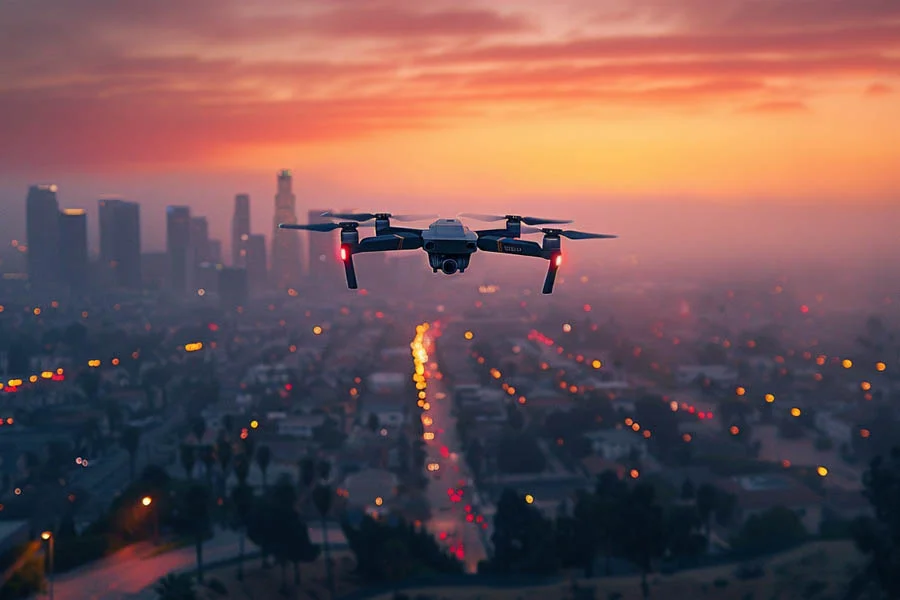
Aerial footage once required helicopters, professional crews, and budgets few creators could imagine. Today, a compact quadcopter fits in a backpack and captures scenes worthy of nature documentaries. A 4k drone delivers enough detail to crop, stabilize, and display footage on large screens without losing clarity. Yet resolution is only one ingredient in footage that genuinely looks cinematic. Sensor size, dynamic range, color depth, and flight stability matter just as much. Pilot skill and legal awareness complete the picture, especially in the United States. This article explains each factor in plain language. It references a folding drone with a Hasselblad camera, 1-inch sensor, and 4K HDR video, identified in the listing as the Mavic 2 Pro. You will learn what to look for and how to fly responsibly. The sky, as always, rewards preparation.
Why Resolution Alone Is Not Enough
Many inexpensive drones advertise 4K while delivering grainy, washed-out footage. Small sensors struggle with contrast, especially when bright skies meet shadowed landscapes. Dynamic range determines whether clouds keep their texture while trees retain detail below. True 4k hdr video preserves both extremes, producing footage closer to what your eyes actually see. This drone records HDR video through its Hasselblad camera and 1-inch CMOS sensor. Larger sensors gather more light, reducing noise during sunrise, sunset, and overcast flights. Bitrate and color depth also influence how footage survives editing and compression. Stabilization ties everything together, since shaky footage ruins even the sharpest image. Each specification contributes to the final look. Cinematic quality comes from the whole system.
Inside a 4K Drone Camera
The camera module hangs beneath the body on a three-axis gimbal that cancels vibration and movement. This model pairs a Hasselblad camera with a 1-inch CMOS sensor, a size usually found in premium compact cameras. An adjustable aperture lets you control exposure without relying entirely on shutter speed or ISO. Recording in 10 bit color captures over one billion shades, according to the listing. That depth prevents banding in skies and gradients during color grading. The Dlog-M profile records flat footage designed for flexible editing afterward. Beginners can still shoot in standard color profiles for ready-to-share clips. A 4k drone with this sensor size produces footage that holds up on big screens. Thoughtful camera design separates hobby toys from creative tools. Quality starts at the lens.
Flying a 4K Drone for Smooth Shots
Great footage depends on smooth, deliberate movements rather than fast, jerky maneuvers. Slow your stick inputs and plan each shot before taking off. Successful drone videography often relies on a few classic moves, such as reveals, orbits, and slow push-ins. GPS stabilization keeps the aircraft steady while you frame compositions. Omnidirectional obstacle sensing adds a safety margin when flying near trees or structures. ActiveTrack 2.0 follows moving subjects automatically, freeing you to focus on framing. Hyperlapse and timelapse modes compress hours into seconds for dramatic sequences. Shoot early or late in the day, when soft light flatters landscapes. Practice in open fields before attempting complex shots near obstacles. Patience produces footage worth sharing.
From Card to Screen
Capturing footage is only half the creative process. Thoughtful drone footage editing turns raw clips into polished stories with pacing and mood. Free and paid editors both support color grading for flat profiles like Dlog-M. Apply a simple conversion first, then adjust contrast and saturation to taste. Trim clips tightly, keeping only the strongest moments from each flight. Add music that matches the rhythm of your shots for an immersive result. Export in 4K to preserve detail for large displays and online platforms. Watching finished films on a wall-sized home cinema screen reveals details phones never show. Back up original files on two separate drives to protect your work. Editing is where footage becomes storytelling.
Rules Every 4K Drone Pilot Should Know
Flying in the United States carries legal responsibilities that every pilot should understand. Drones weighing more than 250 grams must be registered with the FAA, and this model exceeds that threshold. Recreational pilots also need to pass the free TRUST safety test before flying. Commercial work, such as paid real estate or event footage, requires a Part 107 remote pilot certificate. Remote ID is mandatory for registered drones, and firmware updates added broadcast support to this model. Update both aircraft and controller software before your first flight. Always keep the drone within visual line of sight, regardless of transmission range. Check airspace restrictions near airports, stadiums, and national parks using approved apps. Respect privacy by avoiding flights over people and private property. Responsible flying protects the hobby for everyone.
Choosing Your 4K Drone
Start by deciding whether you need casual clips or footage for professional projects. Larger sensors, HDR recording, and 10-bit color benefit anyone planning serious editing. Flight time affects how many shots you capture per battery, and this model offers up to 31 minutes. OcuSync 2.0 transmission provides a stable live view for confident framing. Omnidirectional obstacle sensing and GPS stabilization add important safety layers. Consider spare batteries, a carrying case, and ND filters for bright conditions. Older models may have fewer replacement parts available, so check accessory availability before buying. Budget time for registration, training, and practice flights. To review the full specifications, explore the drone here before making your choice. The right tools turn the sky into your studio.